short-video-maker
Сообществоот gyoridavid
Creates short videos for TikTok, Instagram Reels, and YouTube Shorts using the Model Context Protocol (MCP) and a REST API.
Установка
brew install ffmpegОписание
## [📚 Join our Skool community for support, premium content and more!](https://www.skool.com/ai-agents-az/about?s1m) ### Be part of a growing community and help us create more content like this # Description An open source automated video creation tool for generating short-form video content. Short Video Maker combines text-to-speech, automatic captions, background videos, and music to create engaging short videos from simple text inputs. This project is meant to provide a free alternative to heavy GPU-power hungry video generation (and a free alternative to expensive, third-party API calls). It doesn't generate a video from scratch based on an image or an image prompt. The repository was open-sourced by the [AI Agents A-Z Youtube Channel](https://www.youtube.com/channel/UCloXqLhp_KGhHBe1kwaL2Tg). We encourage you to check out the channel for more AI-related content and tutorials. The server exposes an [MCP](https://github.com/modelcontextprotocol) and a REST server. While the MCP server can be used with an AI Agent (like n8n) the REST endpoints provide more flexibility for video generation. You can find example n8n workflows created with the REST/MCP server [in this repository](https://github.com/gyoridavid/ai_agents_az/tree/main/episode_7). # TOC ## Getting started - [Requirements](#general-requirements) - [How to run the server](#getting-started-1) - [Web UI](#web-ui) - [Tutorial](#tutorial-with-n8n) - [Examples](#examples) ## Usage - [Environment variables](#environment-variables) - [REST API](#rest-api) - [Configuration options](#configuration-options) - [MCP](#mcp-server) ## Info - [Features](#features) - [How it works](#how-it-works) - [Limitations](#limitations) - [Concepts](#concepts) - [Troubleshooting](#troubleshooting) - [Deploying in the cloud](#deploying-to-the-cloud) - [FAQ](#faq) - [Dependencies](#dependencies-for-the-video-generation) - [Contributing](#how-to-contribute) - [License](#license) - [Acknowledgements](#acknowledgments) # Tutorial with n8n [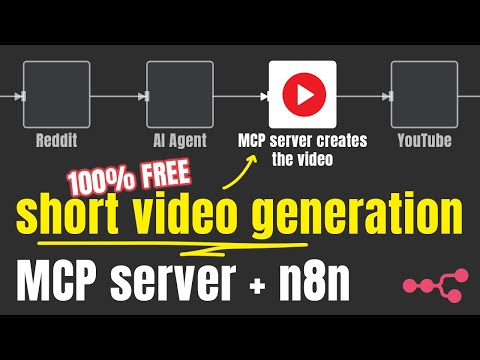](https://www.youtube.com/watch?v=jzsQpn-AciM) # Examples <table> <tr> <td> <video src="https://github.com/user-attachments/assets/1b488e7d-1b40-439d-8767-6ab51dbc0922" width="480" height="270"></video> </td> <td> <video src="https://github.com/user-attachments/assets/bb7ce80f-e6e1-44e5-ba4e-9b13d917f55b" width="270" height="480"></video> </td> <td> </tr> </table> # Features - Generate complete short videos from text prompts - Text-to-speech conversion - Automatic caption generation and styling - Background video search and selection via Pexels - Background music with genre/mood selection - Serve as both REST API and Model Context Protocol (MCP) server # How It Works Shorts Creator takes simple text inputs and search terms, then: 1. Converts text to speech using Kokoro TTS 2. Generates accurate captions via Whisper 3. Finds relevant background videos from Pexels 4. Composes all elements with Remotion 5. Renders a professional-looking short video with perfectly timed captions # Limitations - The project only capable generating videos with English voiceover (kokoro-js doesn’t support other languages at the moment) - The background videos are sourced from Pexels # General Requirements - internet - free pexels api key - ≥ 3 gb free RAM, my recommendation is 4gb RAM - ≥ 2 vCPU - ≥ 5gb disc space # Concepts ## Scene Each video is assembled from multiple scenes. These scenes consists of 1. Text: Narration, the text the TTS will read and create captions from. 2. Search terms: The keywords the server should use to find videos from Pexels API. If none can be found, joker terms are being used (`nature`, `globe`, `space`, `ocean`) # Getting started ## Docker (recommended) There are three docker images, for three different use cases. Generally speaking, most of the time you want to spin up the `tiny` one. ### Tiny - Uses the `tiny.en` whisper.cpp model - Uses the `q4` quantized kokoro model - `CONCURRENCY=1` to overcome OOM errors coming from Remotion with limited resources - `VIDEO_CACHE_SIZE_IN_BYTES=2097152000` (2gb) to overcome OOM errors coming from Remotion with limited resources ```jsx docker run -it --rm --name short-video-maker -p 3123:3123 -e LOG_LEVEL=debug -e PEXELS_API_KEY= gyoridavid/short-video-maker:latest-tiny ``` ### Normal - Uses the `base.en` whisper.cpp model - Uses the `fp32` kokoro model - `CONCURRENCY=1` to overcome OOM errors coming from Remotion with limited resources - `VIDEO_CACHE_SIZE_IN_BYTES=2097152000` (2gb) to overcome OOM errors coming from Remotion with limited resources ```jsx docker run -it --rm --name short-video-maker -p 3123:3123 -e LOG_LEVEL=debug -e PEXELS_API_KEY
Отзывы (0)
Пока нет отзывов. Будьте первым!
Статистика
Информация
Технологии
Похожие серверы

GitHub MCP
Полная интеграция с GitHub API: репозитории, issues, pull requests, actions и многое другое.
Filesystem MCP
Безопасный доступ к файловой системе для чтения, записи и управления файлами с настраиваемыми разрешениями.

Context7 MCP
Доступ к актуальной документации библиотек и фреймворков.
Serena MCP
Мощный MCP сервер для семантической навигации по коду и рефакторинга.