Установка
npm install -g mcp-mongo-serverОписание
# MCP MongoDB Server ---    [](https://smithery.ai/server/mcp-mongo-server) [](https://mseep.ai/app/e274a3dd-7fe6-4440-8c43-043bae668251) A Model Context Protocol server that enables LLMs to interact with MongoDB databases. This server provides capabilities for inspecting collection schemas and executing MongoDB operations through a standardized interface. ## Demo [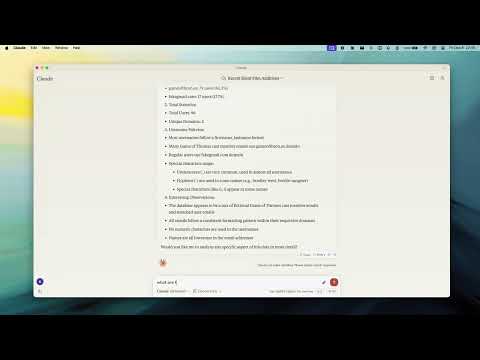](https://www.youtube.com/watch?v=FI-oE_voCpA) ## Key Features ### Smart ObjectId Handling - Intelligent conversion between string IDs and MongoDB ObjectId - Configurable with `objectIdMode` parameter: - `"auto"`: Convert based on field names (default) - `"none"`: No conversion - `"force"`: Force all string ID fields to ObjectId ### Flexible Configuration - **Environment Variables**: - `MCP_MONGODB_URI`: MongoDB connection URI - `MCP_MONGODB_READONLY`: Enable read-only mode when set to "true" - **Command-line Options**: - `--read-only` or `-r`: Connect in read-only mode ### Read-Only Mode - Protection against write operations (update, insert, createIndex) - Uses MongoDB's secondary read preference for optimal performance - Ideal for safely connecting to production databases ### MongoDB Operations - **Read Operations**: - Query documents with optional execution plan analysis - Execute aggregation pipelines - Count documents matching criteria - Get collection schema information - **Write Operations** (when not in read-only mode): - Update documents - Insert new documents - Create indexes ### LLM Integration - Collection completions for enhanced LLM interaction - Schema inference for improved context understanding - Collection analysis for data insights ## Installation ### Global Installation ```bash npm install -g mcp-mongo-server ``` ### For Development ```bash # Clone repository git clone https://github.com/kiliczsh/mcp-mongo-server.git cd mcp-mongo-server # Install dependencies npm install # Build npm run build # Development with auto-rebuild npm run watch ``` ## Usage ### Basic Usage ```bash # Start server with MongoDB URI npx -y mcp-mongo-server mongodb://muhammed:kilic@localhost:27017/database # Connect in read-only mode npx -y mcp-mongo-server mongodb://muhammed:kilic@localhost:27017/database --read-only ``` ### Environment Variables You can configure the server using environment variables, which is particularly useful for CI/CD pipelines, Docker containers, or when you don't want to expose connection details in command arguments: ```bash # Set MongoDB connection URI export MCP_MONGODB_URI="mongodb://muhammed:kilic@localhost:27017/database" # Enable read-only mode export MCP_MONGODB_READONLY="true" # Run server (will use environment variables if no URI is provided) npx -y mcp-mongo-server ``` Using environment variables in Claude Desktop configuration: ```json { "mcpServers": { "mongodb-env": { "command": "npx", "args": [ "-y", "mcp-mongo-server" ], "env": { "MCP_MONGODB_URI": "mongodb://muhammed:kilic@localhost:27017/database", "MCP_MONGODB_READONLY": "true" } } } } ``` Using environment variables with Docker: ```bash # Build docker build -t mcp-mongo-server . # Run docker run -it -d -e MCP_MONGODB_URI="mongodb://muhammed:kilic@localhost:27017/database" -e MCP_MONGODB_READONLY="true" mcp-mongo-server # or edit docker-compose.yml and run docker-compose up -d ``` ## Integration with Claude Desktop ### Manual Configuration Add the server configuration to Claude Desktop's config file: **MacOS**: `~/Library/Application Support/Claude/claude_desktop_config.json` **Windows**: `%APPDATA%/Claude/claude_desktop_config.json` #### Command-line Arguments Approach: ```json { "mcpServers": { "mongodb": { "command": "npx", "args": [ "-y", "mcp-mongo-server", "mongodb://muhammed:kilic@localhost:27017/database" ] }, "mongodb-readonly": { "command": "npx", "args": [ "-y", "mcp-mongo-server", "mongodb://muhammed:kilic@localhost:27017/database", "--read-only" ] } } } ``` #### Environment Variables Approach: ```json { "mcpServers": { "mongodb": { "command": "npx", "args": [ "-y", "mcp-mongo-server" ], "env": { "MCP_MONGODB_URI": "mongodb://muhammed:kilic@localhost:27017/database" } }, "mongodb-readonly": { "command": "npx", "args": [ "-y", "mcp-mongo-server" ], "env": { "MCP_MONGODB_URI": "mongodb://muhammed:kilic@localhost
Отзывы (0)
Пока нет отзывов. Будьте первым!
Статистика
Информация
Технологии
Похожие серверы

Supabase MCP
Интеграция с Supabase - open-source альтернативой Firebase с PostgreSQL.

PostgreSQL MCP
Прямой доступ к PostgreSQL базам данных: запросы, схемы, миграции.

SQLite MCP
Работа с SQLite базами данных: запросы, создание таблиц, анализ данных.

Redis MCP
Интеграция с Redis: работа с ключами, структурами данных, pub/sub.