magic-mcp
Сообществоот 21st-dev
It's like v0 but in your Cursor/WindSurf/Cline. 21st dev Magic MCP server for working with your frontend like Magic
Установка
npx @21st-dev/cli@latest install <client> --api-key <key>Описание
# 21st.dev Magic AI Agent 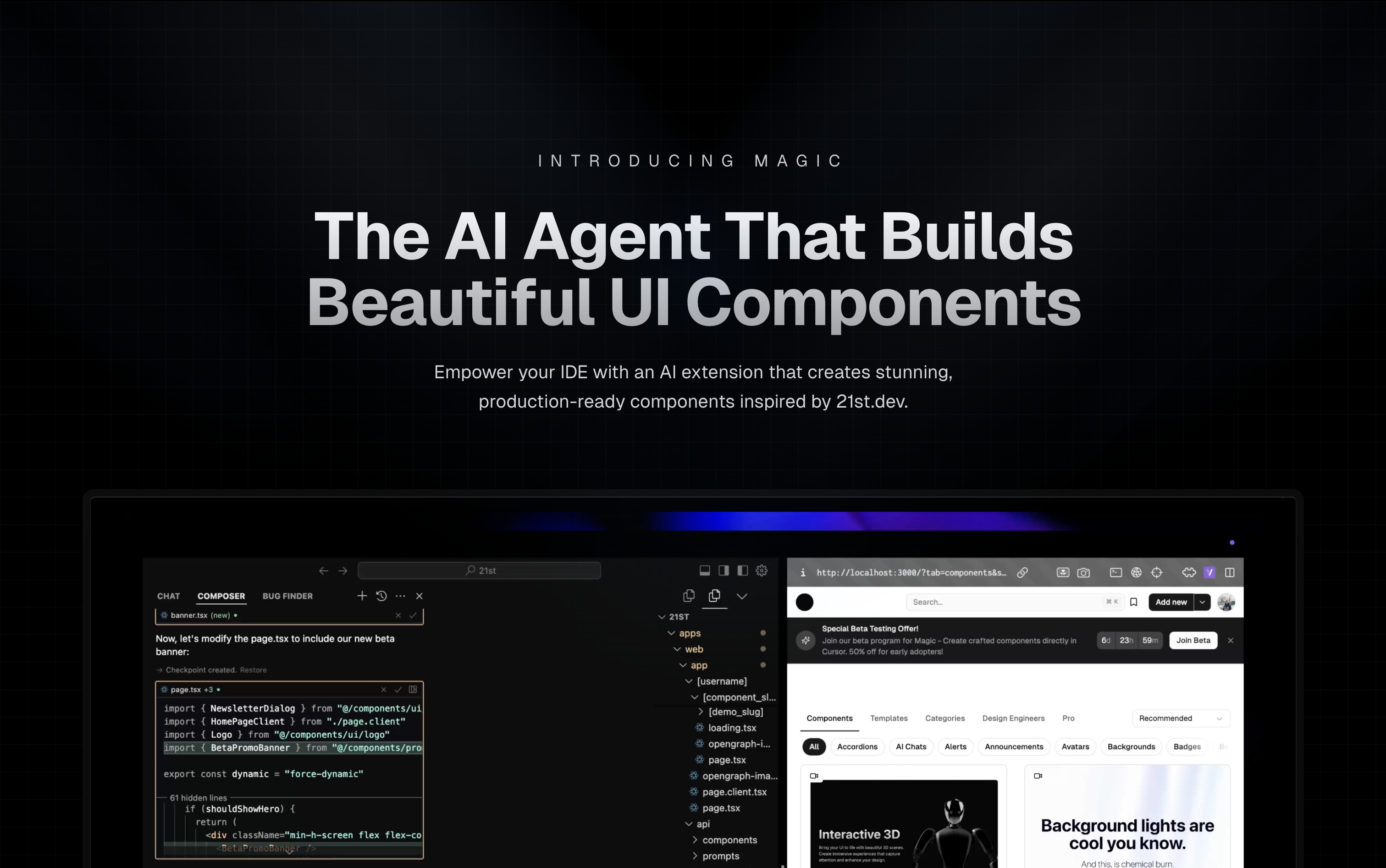 Magic Component Platform (MCP) is a powerful AI-driven tool that helps developers create beautiful, modern UI components instantly through natural language descriptions. It integrates seamlessly with popular IDEs and provides a streamlined workflow for UI development. ## 🌟 Features - **AI-Powered UI Generation**: Create UI components by describing them in natural language - **Multi-IDE Support**: - [Cursor](https://cursor.com) IDE integration - [Windsurf](https://windsurf.ai) support - [VSCode](https://code.visualstudio.com/) support - [VSCode + Cline](https://cline.bot) integration (Beta) - **Modern Component Library**: Access to a vast collection of pre-built, customizable components inspired by [21st.dev](https://21st.dev) - **Real-time Preview**: Instantly see your components as you create them - **TypeScript Support**: Full TypeScript support for type-safe development - **SVGL Integration**: Access to a vast collection of professional brand assets and logos - **Component Enhancement**: Improve existing components with advanced features and animations (Coming Soon) ## 🎯 How It Works 1. **Tell Agent What You Need** - In your AI Agent's chat, just type `/ui` and describe the component you're looking for - Example: `/ui create a modern navigation bar with responsive design` 2. **Let Magic Create It** - Your IDE prompts you to use Magic - Magic instantly builds a polished UI component - Components are inspired by 21st.dev's library 3. **Seamless Integration** - Components are automatically added to your project - Start using your new UI components right away - All components are fully customizable ## 🚀 Getting Started ### Prerequisites - Node.js (Latest LTS version recommended) - One of the supported IDEs: - Cursor - Windsurf - VSCode (with Cline extension) ### Installation 1. **Generate API Key** - Visit [21st.dev Magic Console](https://21st.dev/magic/console) - Generate a new API key 2. **Choose Installation Method** #### Method 1: CLI Installation (Recommended) One command to install and configure MCP for your IDE: ```bash npx @21st-dev/cli@latest install <client> --api-key <key> ``` Supported clients: cursor, windsurf, cline, claude #### Method 2: Manual Configuration If you prefer manual setup, add this to your IDE's MCP config file: ```json { "mcpServers": { "@21st-dev/magic": { "command": "npx", "args": ["-y", "@21st-dev/magic@latest", "API_KEY=\"your-api-key\""] } } } ``` Config file locations: - Cursor: `~/.cursor/mcp.json` - Windsurf: `~/.codeium/windsurf/mcp_config.json` - Cline: `~/.cline/mcp_config.json` - Claude: `~/.claude/mcp_config.json` #### Method 3: VS Code Installation For one-click installation, click one of the install buttons below: [](https://insiders.vscode.dev/redirect/mcp/install?name=%4021st-dev%2Fmagic&config=%7B%22command%22%3A%22npx%22%2C%22args%22%3A%5B%22-y%22%2C%22%4021st-dev%2Fmagic%40latest%22%5D%2C%22env%22%3A%7B%22API_KEY%22%3A%22%24%7Binput%3AapiKey%7D%22%7D%7D&inputs=%5B%7B%22type%22%3A%22promptString%22%2C%22id%22%3A%22apiKey%22%2C%22description%22%3A%2221st.dev+Magic+API+Key%22%2C%22password%22%3Atrue%7D%5D) [](https://insiders.vscode.dev/redirect/mcp/install?name=%4021st-dev%2Fmagic&config=%7B%22command%22%3A%22npx%22%2C%22args%22%3A%5B%22-y%22%2C%22%4021st-dev%2Fmagic%40latest%22%5D%2C%22env%22%3A%7B%22API_KEY%22%3A%22%24%7Binput%3AapiKey%7D%22%7D%7D&inputs=%5B%7B%22type%22%3A%22promptString%22%2C%22id%22%3A%22apiKey%22%2C%22description%22%3A%2221st.dev+Magic+API+Key%22%2C%22password%22%3Atrue%7D%5D&quality=insiders) ##### Manual VS Code Setup First, check the install buttons above for one-click installation. For manual setup: Add the following JSON block to your User Settings (JSON) file in VS Code. You can do this by pressing `Ctrl + Shift + P` and typing `Preferences: Open User Settings (JSON)`: ```json { "mcp": { "inputs": [ { "type": "promptString", "id": "apiKey", "description": "21st.dev Magic API Key", "password": true } ], "servers": { "@21st-dev/magic": { "command": "npx", "args": ["-y", "@21st-dev/magic@latest"], "env": { "API_KEY": "${input:apiKey}" } } } } } ``` Optionally, you can add it to a file called `.vscode/mcp.json` in your workspace: ```json { "inputs": [ { "type": "promptString", "id": "apiKey", "description": "21st.dev Magic API Key", "password": true } ], "servers": { "@21st-dev/magic": { "command": "npx",
Отзывы (0)
Пока нет отзывов. Будьте первым!
Статистика
Информация
Технологии
Похожие серверы

GitHub MCP
Полная интеграция с GitHub API: репозитории, issues, pull requests, actions и многое другое.
Filesystem MCP
Безопасный доступ к файловой системе для чтения, записи и управления файлами с настраиваемыми разрешениями.

Context7 MCP
Доступ к актуальной документации библиотек и фреймворков.
Serena MCP
Мощный MCP сервер для семантической навигации по коду и рефакторинга.