jupyter-mcp-server
Сообществоот datalayer
🪐 ✨ Model Context Protocol (MCP) Server for Jupyter.
Установка
pip install jupyterlab==4.4.1 jupyter-collaboration==4.0.2 jupyter-mcp-tools>=0.1.4 ipykernelОписание
<!-- ~ Copyright (c) 2024- Datalayer, Inc. ~ ~ BSD 3-Clause License --> [](https://datalayer.io) [](https://github.com/sponsors/datalayer) <div align="center"> <!-- omit in toc --> # 🪐✨ Jupyter MCP Server **An [MCP](https://modelcontextprotocol.io) server developed for AI to connect and manage Jupyter Notebooks in real-time** *Developed by [Datalayer](https://github.com/datalayer)* [](https://pypi.org/project/jupyter-mcp-server) [](https://pepy.tech/project/jupyter-mcp-server) [](https://hub.docker.com/r/datalayer/jupyter-mcp-server) [](https://opensource.org/licenses/BSD-3-Clause) 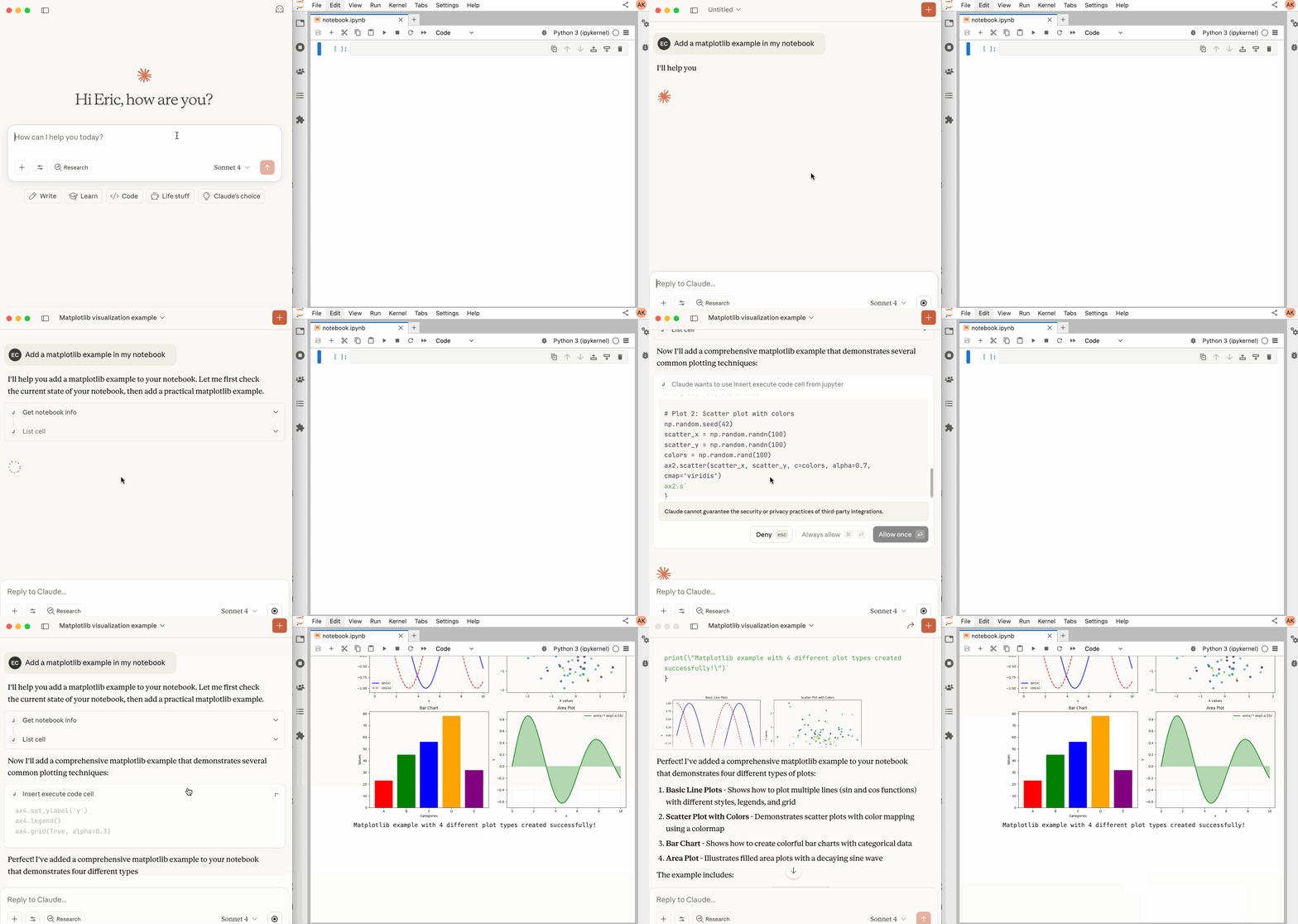 </div> ## 📖 Table of Contents - [Key Features](#-key-features) - [MCP Overview](#-mcp-overview) - [Getting Started](#-getting-started) - [Best Practices](#-best-practices) - [Contributing](#-contributing) - [Resources](#-resources) ## 🚀 Key Features - ⚡ **Real-time control:** Instantly view notebook changes as they happen. - 🔁 **Smart execution:** Automatically adjusts when a cell run fails thanks to cell output feedback. - 🧠 **Context-aware:** Understands the entire notebook context for more relevant interactions. - 📊 **Multimodal support:** Support different output types, including images, plots, and text. - 📚 **Multi-notebook support:** Seamlessly switch between multiple notebooks. - 🎨 **JupyterLab integration:** Enhanced UI integration like automatic notebook opening. - 🤝 **MCP-compatible:** Works with any MCP client, such as Claude Desktop, Cursor, Windsurf, and more. Compatible with any Jupyter deployment (local, JupyterHub, ...) and with [Datalayer](https://datalayer.ai/) hosted Notebooks. ## ✨ MCP Overview ### 🔧 Tools Overview The server provides a rich set of tools for interacting with Jupyter notebooks, categorized as follows: #### Server Management Tools | Name | Description | | :--------------- | :----------------------------------------------------------------------------------------- | | `list_files` | List files and directories in the Jupyter server's file system. | | `list_kernels` | List all available and running kernel sessions on the Jupyter server. | #### Multi-Notebook Management Tools | Name | Description | | :----------------- | :--------------------------------------------------------------------------------------- | | `use_notebook` | Connect to a notebook file, create a new one, or switch between notebooks. | | `list_notebooks` | List all notebooks available on the Jupyter server and their status | | `restart_notebook` | Restart the kernel for a specific managed notebook. | | `unuse_notebook` | Disconnect from a specific notebook and release its resources. | | `read_notebook` | Read notebook cells source content with brief or detailed format options. | #### Cell Operations and Execution Tools | Name | Description | | :------------------------- | :------------------------------------------------------------------------------- | | `read_cell` | Read the full content (Metadata, Source and Outputs) of a single cell. | | `insert_cell` | Insert a new code or markdown cell at a specified position. | | `delete_cell` | Delete a cell at a specified index. | | `overwrite_cell_source` | Overwrite the source code of an existing cell. | | `execute_cell` | Execute a cell with timeout, supports multimodal output including images. | | `insert_execute_code_cell` | Insert a new code cell and execute it in one step. | | `execute_code` | Execute code directly in the kernel, supports magic commands and shell commands. | #### JupyterLab Integration *
Отзывы (0)
Пока нет отзывов. Будьте первым!
Статистика
Информация
Технологии
Похожие серверы

GitHub MCP
Полная интеграция с GitHub API: репозитории, issues, pull requests, actions и многое другое.
Filesystem MCP
Безопасный доступ к файловой системе для чтения, записи и управления файлами с настраиваемыми разрешениями.

Context7 MCP
Доступ к актуальной документации библиотек и фреймворков.
Serena MCP
Мощный MCP сервер для семантической навигации по коду и рефакторинга.