google-search
Сообществоот web-agent-master
A Playwright-based Node.js tool that bypasses search engine anti-scraping mechanisms to execute Google searches. Local alternative to SERP APIs with MCP server integration.
Установка
# Install from sourceОписание
# Google Search Tool A Playwright-based Node.js tool that bypasses search engine anti-scraping mechanisms to execute Google searches and extract results. It can be used directly as a command-line tool or as a Model Context Protocol (MCP) server to provide real-time search capabilities to AI assistants like Claude. [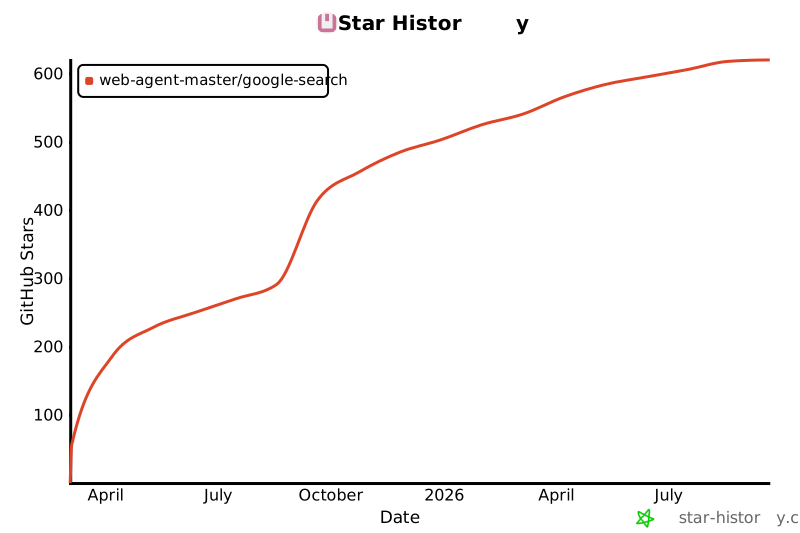](https://star-history.com/#web-agent-master/google-search&Date) [中文文档](README.zh-CN.md) ## Key Features - **Local SERP API Alternative**: No need to rely on paid search engine results API services, all searches are executed locally - **Advanced Anti-Bot Detection Bypass Techniques**: - Intelligent browser fingerprint management that simulates real user behavior - Automatic saving and restoration of browser state to reduce verification frequency - Smart headless/headed mode switching, automatically switching to headed mode when verification is needed - Randomization of device and locale settings to reduce detection risk - **Raw HTML Retrieval**: Ability to fetch the raw HTML of search result pages (with CSS and JavaScript removed) for analysis and debugging when Google's page structure changes - **Page Screenshot**: Automatically captures and saves a full-page screenshot when saving HTML content - **MCP Server Integration**: Provides real-time search capabilities to AI assistants like Claude without requiring additional API keys - **Completely Open Source and Free**: All code is open source with no usage restrictions, freely customizable and extensible ## Technical Features - Developed with TypeScript, providing type safety and better development experience - Browser automation based on Playwright, supporting multiple browser engines - Command-line parameter support for search keywords - MCP server support for AI assistant integration - Returns search results with title, link, and snippet - Option to retrieve raw HTML of search result pages for analysis - JSON format output - Support for both headless and headed modes (for debugging) - Detailed logging output - Robust error handling - Browser state saving and restoration to effectively avoid anti-bot detection ## Installation ```bash # Install from source git clone https://github.com/web-agent-master/google-search.git cd google-search # Install dependencies npm install # Or using yarn yarn # Or using pnpm pnpm install # Compile TypeScript code npm run build # Or using yarn yarn build # Or using pnpm pnpm build # Link package globally (required for MCP functionality) npm link # Or using yarn yarn link # Or using pnpm pnpm link ``` ### Windows Environment Notes This tool has been specially adapted for Windows environments: 1. `.cmd` files are provided to ensure command-line tools work properly in Windows Command Prompt and PowerShell 2. Log files are stored in the system temporary directory instead of the Unix/Linux `/tmp` directory 3. Windows-specific process signal handling has been added to ensure proper server shutdown 4. Cross-platform file path handling is used to support Windows path separators ## Usage ### Command Line Tool ```bash # Direct command line usage google-search "search keywords" # Using command line options google-search --limit 5 --timeout 60000 --no-headless "search keywords" # Or using npx npx google-search-cli "search keywords" # Run in development mode pnpm dev "search keywords" # Run in debug mode (showing browser interface) pnpm debug "search keywords" # Get raw HTML of search result page google-search "search keywords" --get-html # Get HTML and save to file google-search "search keywords" --get-html --save-html # Get HTML and save to specific file google-search "search keywords" --get-html --save-html --html-output "./output.html" ``` #### Command Line Options - `-l, --limit <number>`: Result count limit (default: 10) - `-t, --timeout <number>`: Timeout in milliseconds (default: 60000) - `--no-headless`: Show browser interface (for debugging) - `--remote-debugging-port <number>`: Enable remote debugging port (default: 9222) - `--state-file <path>`: Browser state file path (default: ./browser-state.json) - `--no-save-state`: Don't save browser state - `--get-html`: Retrieve raw HTML of search result page instead of parsing results - `--save-html`: Save HTML to file (used with --get-html) - `--html-output <path>`: Specify HTML output file path (used with --get-html and --save-html) - `-V, --version`: Display version number - `-h, --help`: Display help information #### Output Example ```json { "query": "deepseek", "results": [ { "title": "DeepSeek", "link": "https://www.deepseek.com/", "snippet": "DeepSeek-R1 is now live and open source, rivaling OpenAI's Model o1. Available on web, app, and API. Click for details. Into ..." }, { "title": "DeepSeek", "link": "https://www.deepseek.com/", "snippet": "DeepSeek-R1 is now live and open source
Отзывы (0)
Пока нет отзывов. Будьте первым!
Статистика
Информация
Технологии
Похожие серверы
mcp-chain-of-draft-server
Chain of Draft Server is a powerful AI-driven tool that helps developers make better decisions through systematic, iterative refinement of thoughts and designs. It integrates seamlessly with popular AI agents and provides a structured approach to reasoning, API design, architecture decisions, code reviews, and implementation planning.
mcp-use-ts
mcp-use is the framework for MCP with the best DX - Build AI agents, create MCP servers with UI widgets, and debug with built-in inspector. Includes client SDK, server SDK, React hooks, and powerful dev tools.
mesh
Define and compose secure MCPs in TypeScript. Generate AI workflows and agents with React + Tailwind UI. Deploy anywhere.
rhinomcp
RhinoMCP connects Rhino 3D to AI Agent through the Model Context Protocol (MCP)